Is this SMS a scam? Check it in 10 seconds
Fake texts from the tax office, the post or your bank look more real every year. KeepCallsSafe reads the text for you and shows the warning signs in plain words.
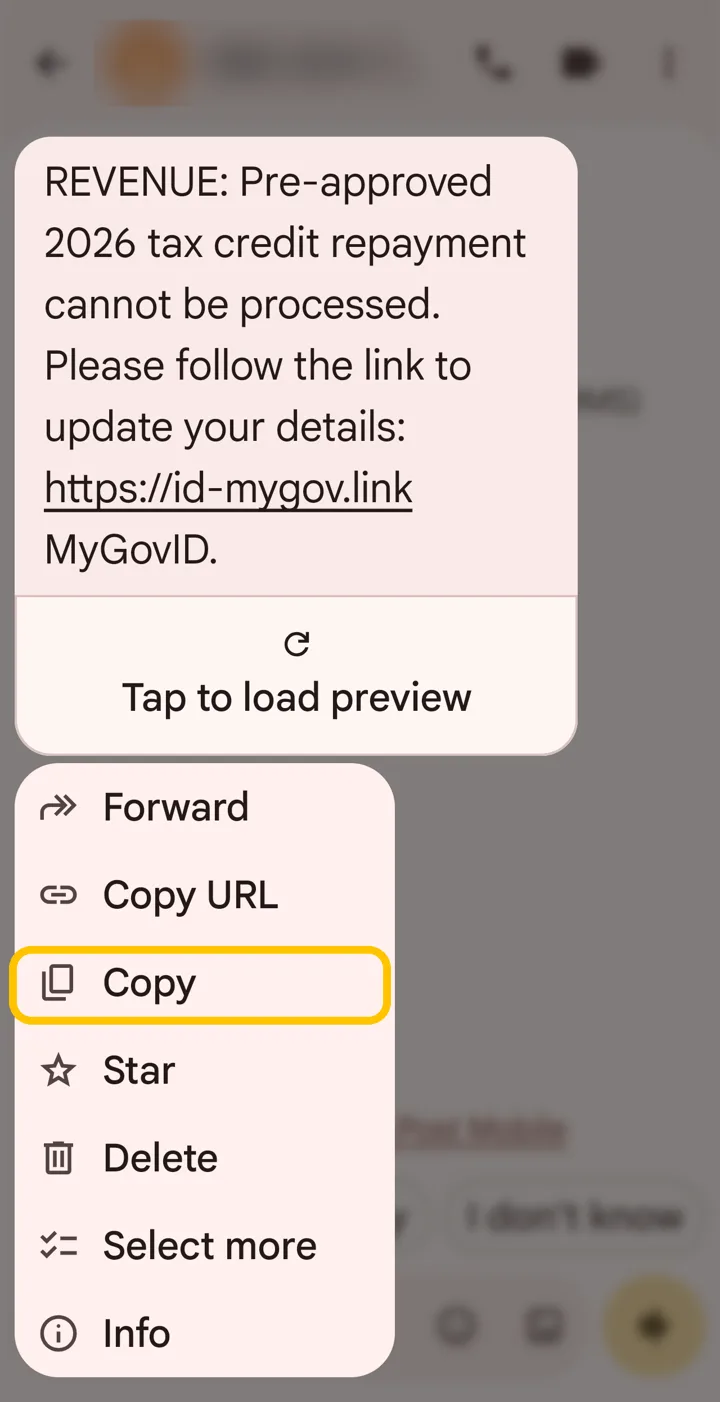
- In Messages, press and hold the text until a menu appears. Tap “Copy”. Don't tap the link.
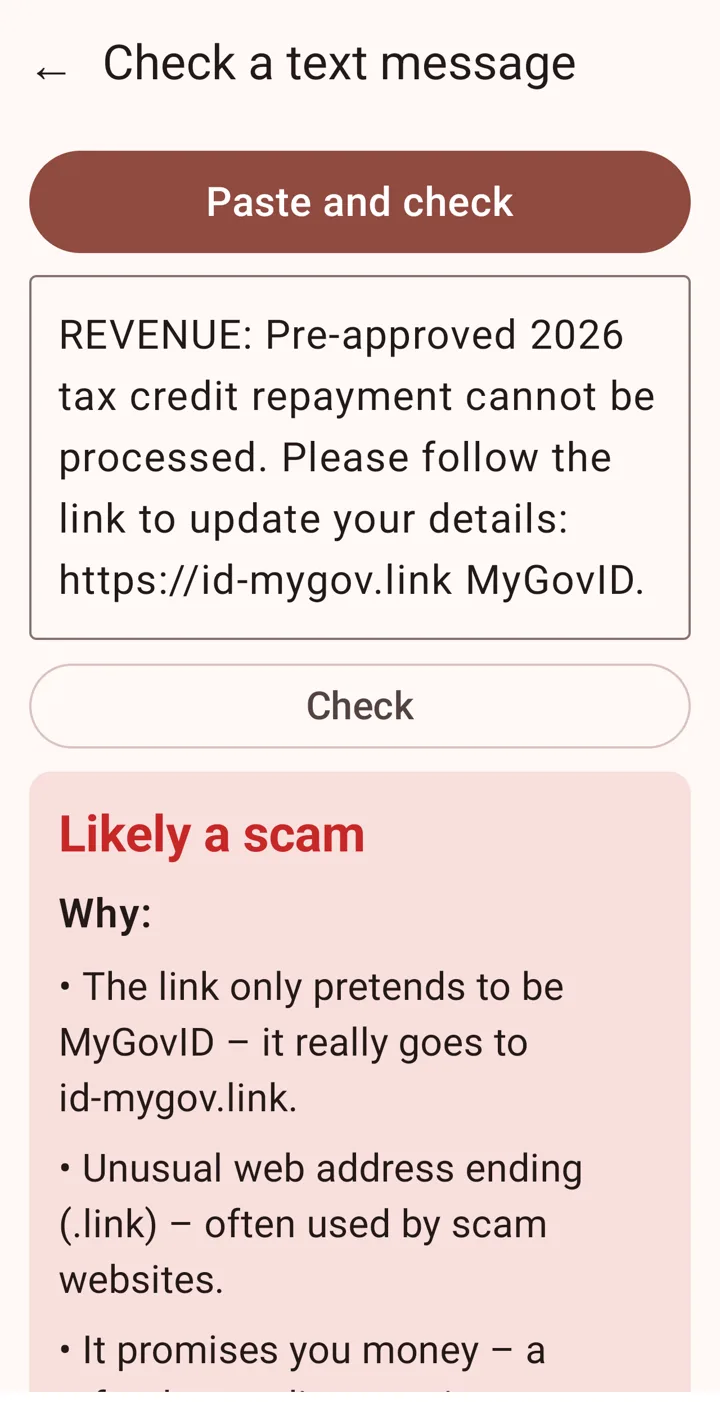
- Open KeepCallsSafe. On the home screen tap “Check a text message”.
- Tap “Paste and check”.
- Read the answer: “Likely a scam”, “Be careful” or “No warning signs found” – with the reasons.
What the answer means
🔴 “Likely a scam” – several clear signs, for example a web address that only pretends to be your bank or a tax office. Don't tap anything and delete the message.
🟠 “Be careful” – something is not right. Check with the sender through their official app or a phone number you already know.
🟢 “No warning signs found” – that doesn't prove it's safe. If it asks for money or your details, check first.
On some phones (for example Samsung) you can also press and hold the text, tap Share and choose “Check for scam”.
The text is checked on your phone only. KeepCallsSafe doesn't read your messages by itself and sends nothing anywhere.
Included in KeepCallsSafe: free for 60 days, then €9.99 a year.