Is there an iPhone version?
No. iPhone doesn't let apps block only hidden numbers. On an iPhone you can use the built-in setting Settings → Apps → Phone → Screen Unknown Callers, but it silences every number that isn't in your contacts.

Call blocker for Android
Stop calls from hidden numbers
KeepCallsSafe rejects calls from hidden and withheld numbers before your phone even rings. If you like, it can also reject international numbers that aren't in your contacts.
Price in Ireland, including VAT. The price for your country is shown in Google Play before you pay.

See how it works
▶ How to block hidden-number calls on Android with KeepCallsSafe
The Android robot is reproduced or modified from work created and shared by Google and used according to terms described in the Creative Commons 3.0 Attribution License.
Spam calls? Know before you answer.
New in KeepCallsSafe: after a call from an unknown number, tap Spam. Next time that number calls, a red warning appears over the call – or have it rejected automatically. Your list stays on your phone.
In the app
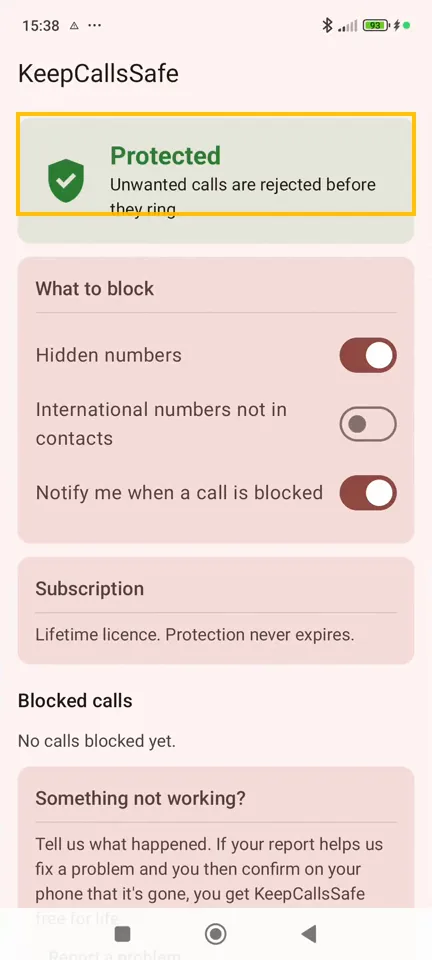
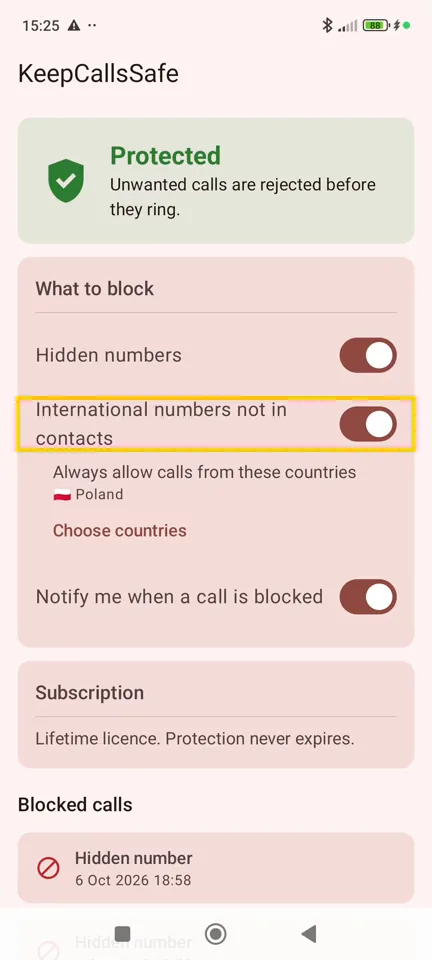
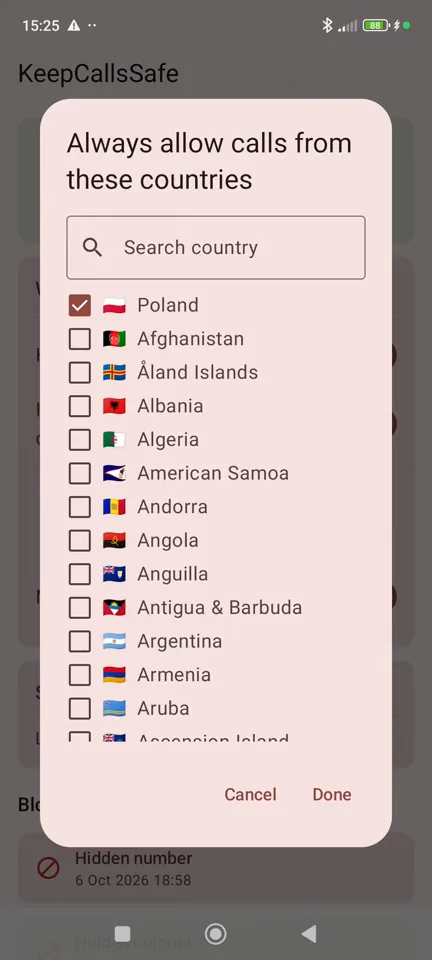
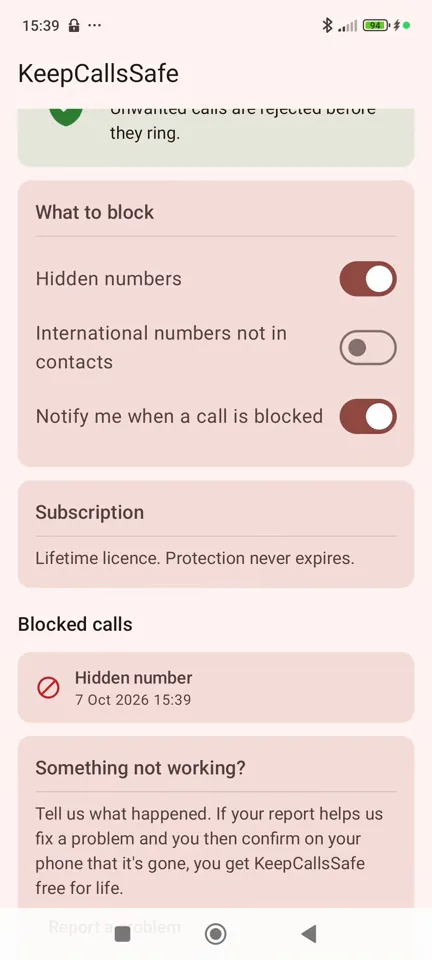
One tap to set up
No hunting through phone or network settings. Turn protection on and you're done.
Your contacts always get through
People you know are never blocked, and you can always allow any number or a whole country with a single tap.
Private by design
Every call is checked on your phone. Your calls and contacts are never uploaded. No ads, no tracking.
Clear pricing
Google Play shows the exact price and the date of your first payment before you confirm. We remind you 3 days before the free trial ends.
Support
Questions or problems? Email support@keepcallssafe.com. We usually reply within two working days.
Something not working on your phone? Use “Report a problem” in the app. If your report helps us fix a problem and you then confirm on your phone that it's gone, you get KeepCallsSafe free for life. Reward rules
Cancel your subscription: Google Play → your profile → Payments & subscriptions → Subscriptions → KeepCallsSafe → Cancel. Protection keeps working until the end of the period you've paid for.
For Android phones (Android 10 or newer).
Questions and answers
How do I block calls from hidden or private numbers on Android?
Install KeepCallsSafe, allow call screening when Android asks, and protection is on. Calls with no caller ID (hidden, private, withheld or unknown numbers) are rejected before your phone rings. You don't have to search through phone or network settings.
Does it work on my phone?
KeepCallsSafe works on Android 10 or newer, on any brand. We have tested it on Samsung Galaxy and Xiaomi/Redmi phones. Phones and networks differ, so you get 60 days free to check that it works for you before you pay anything.
Will people in my contacts still get through?
Yes, always. People saved in your contacts are never blocked, and you can mark any other number as “always allow” with one tap.
Blocked callers leave messages in my voicemail. Can I stop that?
Often, yes. When a call is rejected, many mobile networks forward it to your voicemail, so a blocked caller can still leave a message. KeepCallsSafe recognises your mobile operator from your SIM card and shows the codes that switch this forwarding off: on the app's home screen, under “Blocked callers end up in your voicemail?”, tap “Show tips”. You dial a code with one tap. The messages already in your voicemail stay, and you can switch voicemail back on at any time. The codes depend on your operator, and some networks don't allow this change.
Does the caller know they've been blocked?
No. KeepCallsSafe rejects the call the same way as when you decline a call yourself. Depending on your network, the caller hears a busy tone or reaches your voicemail. Nothing tells them that an app blocked the call. Blocked calls still appear in your call log, so you can always see who tried to reach you.
How is this different from call blocking in my phone's settings?
Some Android phones have their own setting for blocking private or unknown callers, but its name and place differ between brands and Android versions, and many phones don't have it at all. KeepCallsSafe works the same way on any Android phone with Android 10 or newer: it rejects calls without caller ID, always lets your contacts through, lets you allow any number with one tap and, if you want, also rejects international numbers that aren't in your contacts, with a list of countries that always get through.
Can I block international numbers?
Yes, if you want to. KeepCallsSafe can reject calls from abroad that aren't in your contacts, and you can choose countries whose calls always get through, for example where your family lives.
Does KeepCallsSafe upload my calls or contacts?
No. Every call is checked on your phone. Your calls and contacts never leave it. There is no account, no ads and no tracking, and Google Play lists the app as collecting no data.
How much does it cost?
The first 60 days are free. After that it's €9.99 a year in Ireland; Google Play shows the price for your country before you confirm. You can cancel anytime in Google Play, and we remind you 3 days before the free trial ends.
Is there an iPhone version?
No. iPhone doesn't let apps block only hidden numbers. On an iPhone you can use the built-in setting Settings → Apps → Phone → Screen Unknown Callers, but it silences every number that isn't in your contacts.
Something doesn't work on my phone. What should I do?
Tap “Report a problem” at the bottom of the app. It opens an email with your phone model, Android version and network filled in. If your report helps us fix a problem and you then confirm on your phone that it's gone, you get KeepCallsSafe free for life.